If you’re trying to figure out how to view or post HDR images in Discord: https://www.hdrmods.com/Discord-HDR-Screenshots
HDR Screenshot Methods
- ReShade: https://reshade.me/#download
- As of version 6.4 ReShade is capable of taking HDR screenshots in the HDR PNG format, and as of version 6.7 is able to take lossless JXL screenshots.
- ReShade is the preferred method of taking HDR screenshots in-game when using RenoDX and Luma mods.
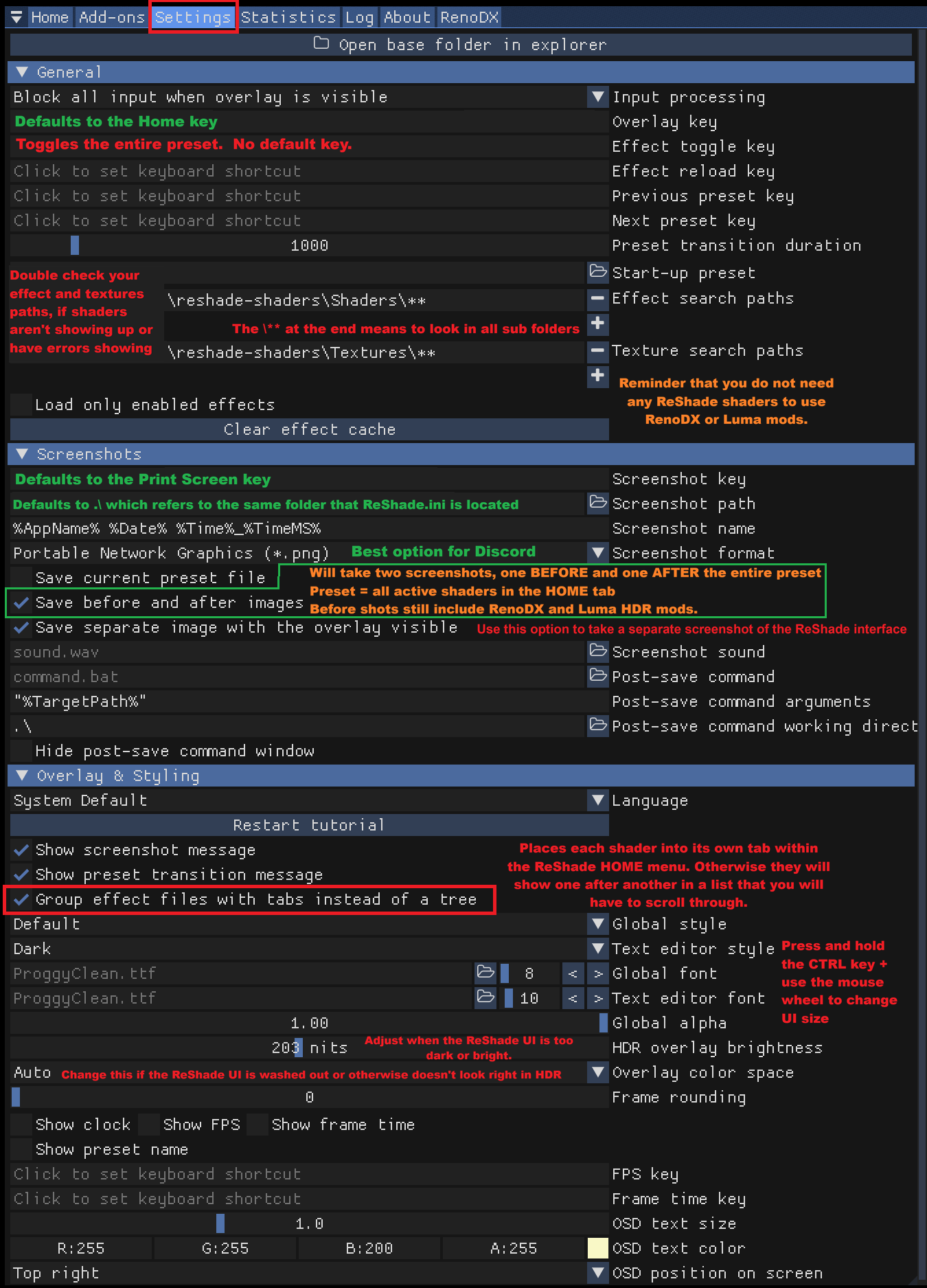
- To take a screenshot of the ReShade interface, click on the ReShade settings tab. About halfway down you’ll see an option called
Save separate image with the overlay visible - ReShade’s
save before and after imagesscreenshot feature will not work when using one of the inverse tonemapping shaders because it will disable the inverse tonemapper as well which will produce a washed-out image in the before shot.
ReShade Settings Overview
- HDR Frame: https://apps.microsoft.com/detail/9P4NGN61CR4T?hl=en-us&gl=US&ocid=pdpshare
- Able to take multiple screenshot types simultaneously, supporting HDRPNG and JXR for HDR images, and normal PNGs for SDR.
- Supports keyboard and controller keybinds
- Options to take screenshots of the entire desktop, specific app/game window, or a just a small region of the screen similar to the snipping tool.
- Can keep things organized based on screenshot method (Desktop, Window, or Region). Desktop and Region are organized into separate folders for each month, and Window shots are separated into separate folders based on the program the screenshot was taken in.
- Special K: https://www.special-k.info/
- Able to take HDR screenshots in multiple HDR image formats including HDR AVIF, HDR PNG, JPEG-XL, and JXR.
- SKIV (Special K Image Viewer): A sub-application of Special K.
- You’ll find the SKIV.exe within the Special K install folder. Can also be downloaded separately from the Special K Discord server https://discord.com/invite/specialk
- Can take HDR screenshots which are saved to the Windows clipboard. Can also automatically save screenshots to a chosen folder.
- Convert HDR images to another HDR image type (such as JXR to HDR PNG) and export HDR images to SDR.
- Can be used to properly view on HDR images and provides analytical data as well.
- Windows Game Bar
- Can take HDR screenshots in the JXR file format and can also record HDR video.
- Nvidia Overlay
- Can take HDR screenshots in the JXR file format and can also record HDR video.
- Steam
- Can take HDR AVIFs.
- Doesn’t appear to work properly on Linux.
- Recommend converting to 8-bit HDR AVIF or HDR PNG using SKIV to make them more compatible with Discord.
- OBS: https://obsproject.com/download
- Can capture HDR screenshots in the JXR file format and record HDR video.
- Recommended method for capturing accurate HDR video.
- OBS Setup Guide for HDR: https://youtu.be/VTocHQP8kxU
Avoid These Methods
- Windows Snipping Tool
- CANNOT take HDR screenshots!!!
- If you go into the Snipping Tool settings there is an option to enable
HDR screenshot color corrector. This allows the snipping tool to take SDR shots that are properly tonemapped from HDR. Otherwise the colors will look washed out. - Use HDR Frame or SKIV instead if you want an HDR version of the snipping tool.
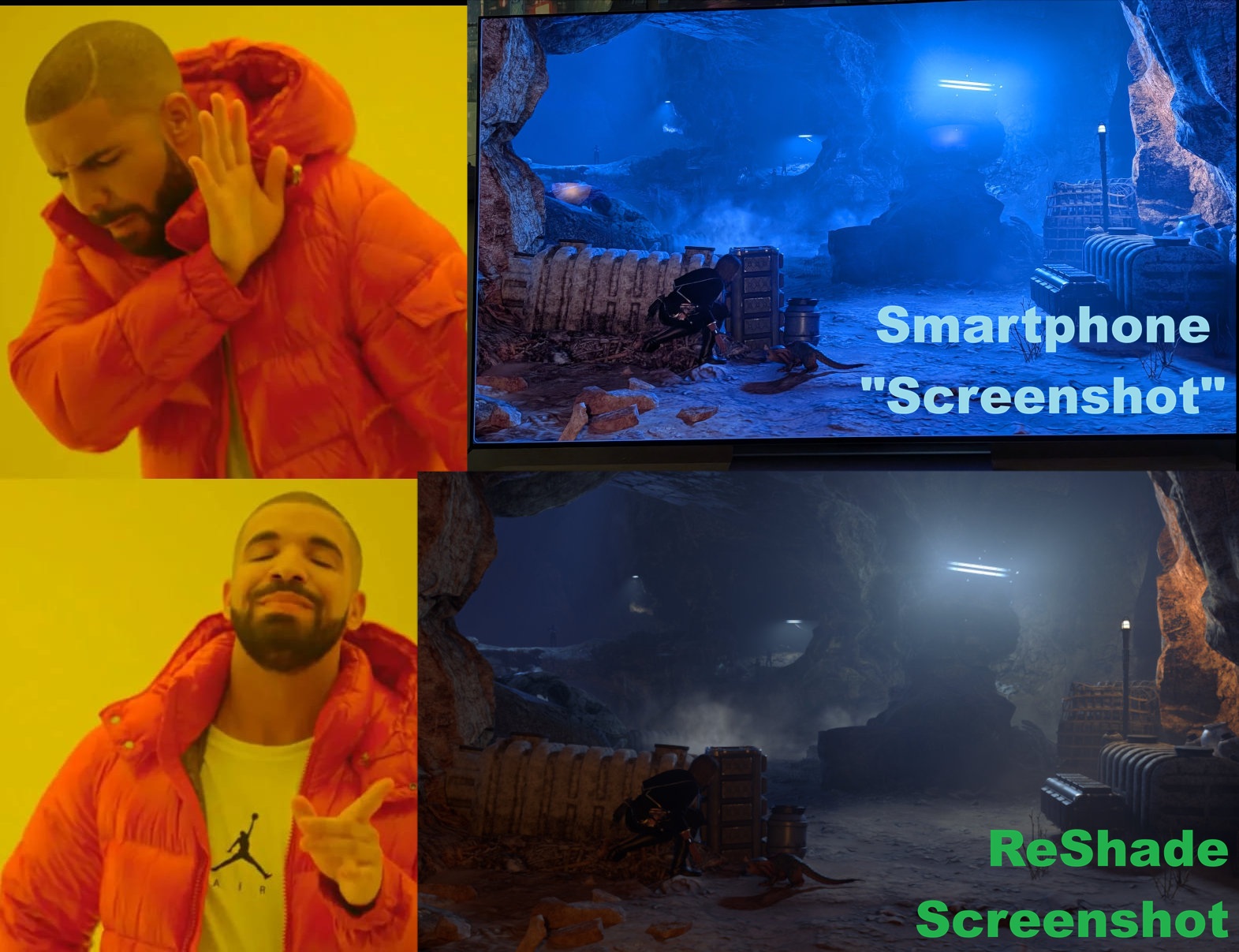
- Your Phone
- Literally the WORST option for taking screenshots in SDR or HDR!
- Phone cameras are horrible at taking accurate screenshots of your display and should never be used when troubleshooting game or HDR mod issues.
- The ONLY time you should even consider this is when trying to troubleshoot issues with the display itself that otherwise wouldn’t be seen in a screenshot.